Upgrade LEGO Technic 42203 into a Motorized Truck
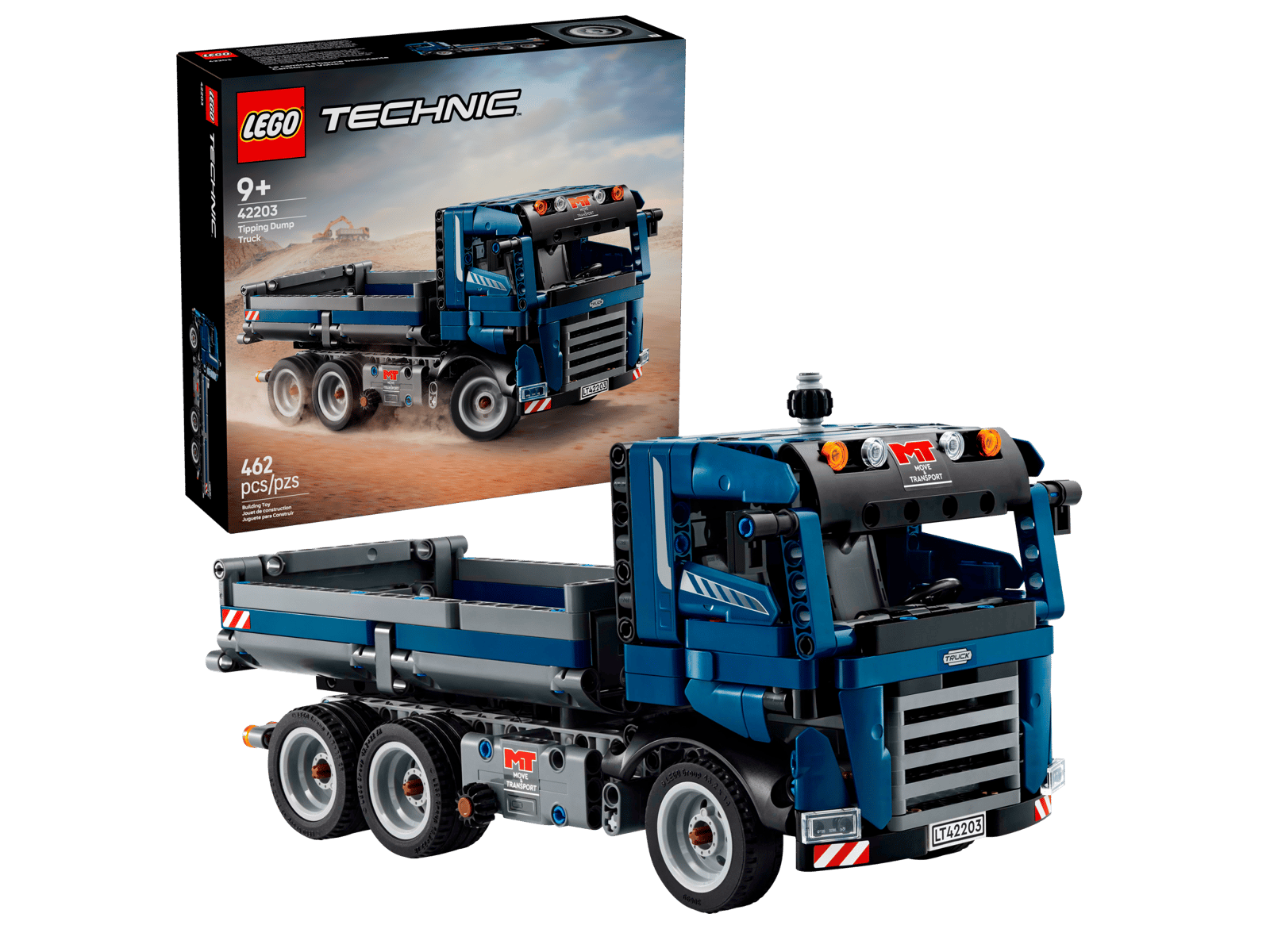
Want to give your LEGO Technic 42203 a fun makeover? How about turning it into a motorized construction truck that you can remotely control using a gamepad!
Introduction
LEGO Technic 42203 is a charming construction truck with a flatbed that can carry a large load. It features doors that open to reveal the cabin’s cozy interior. It’s a great choice for building a robot car. The flatbed is perfect for holding computer gear, and the flat top can be used as a lidar sensor mount. Plus, the cabin has plenty of space for a camera.
What makes a Motorized Car
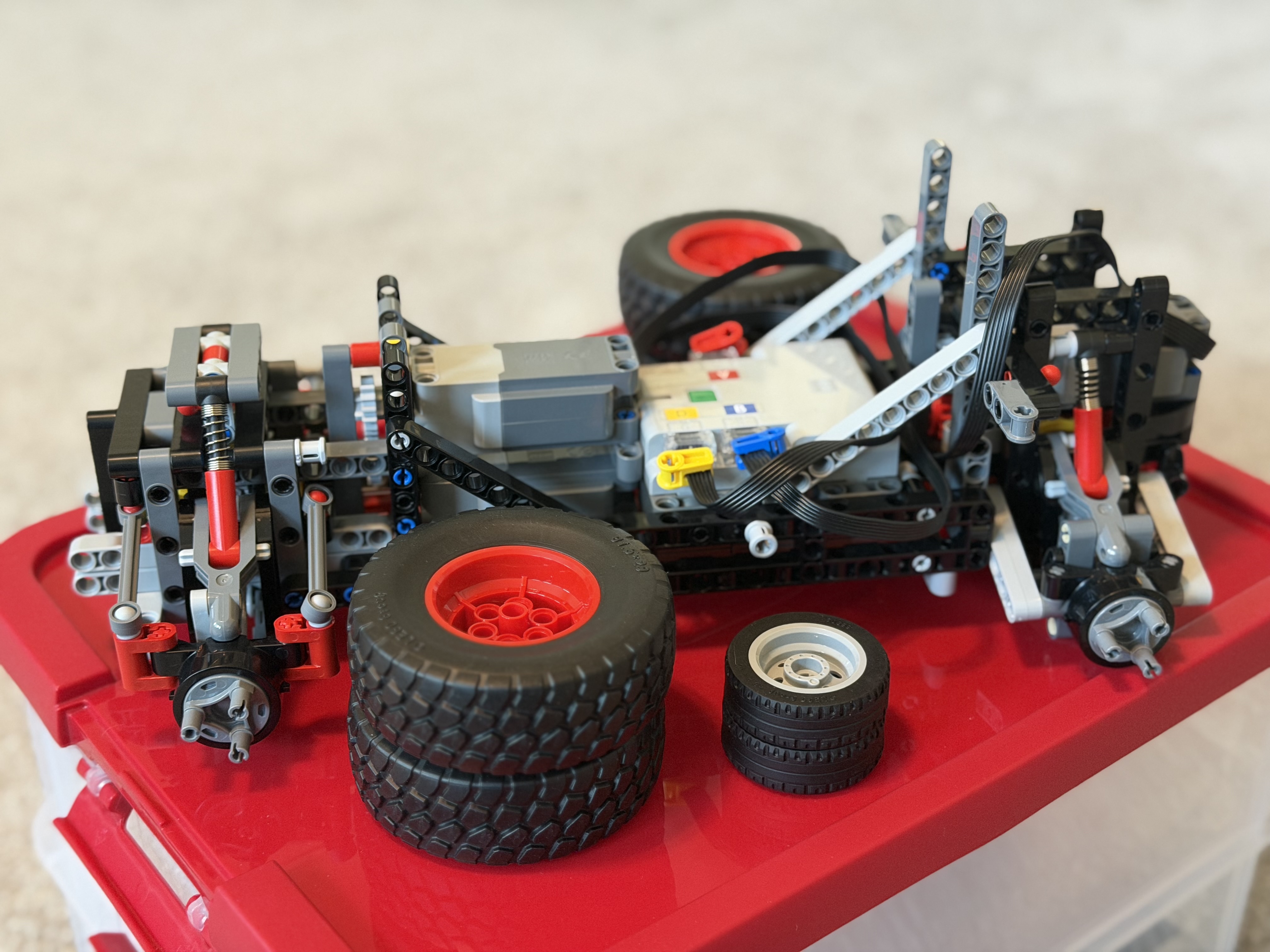
To make a motorized car move, we need both a steering system and a drive system. The driving and steering gears I have are from the LEGO Technic 42160 Audi RS Q e-tron. They’re much bigger and more complex than the cute little construction truck!
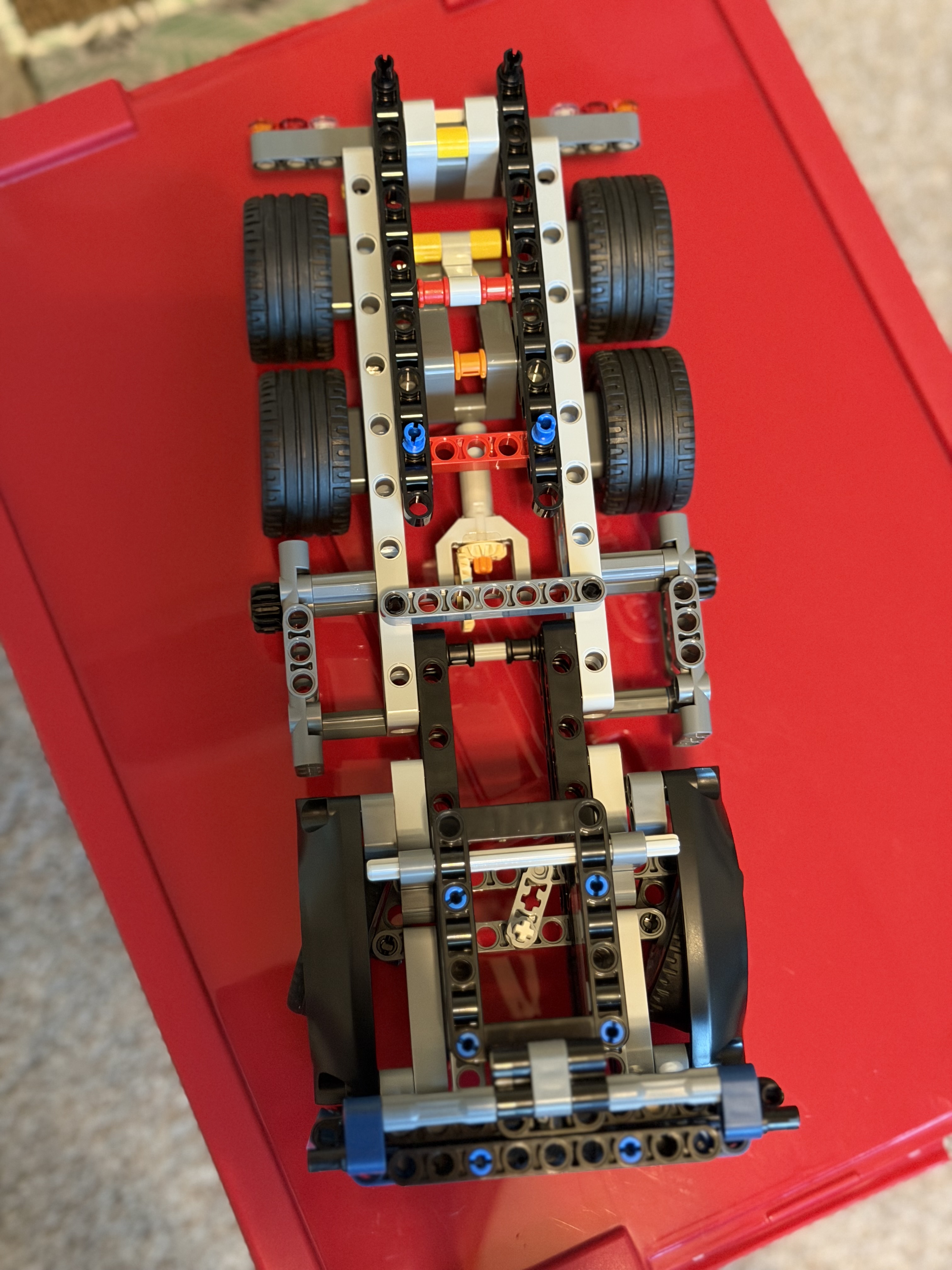
Here is the top-down, under-the-hood view of the simple construction truck:
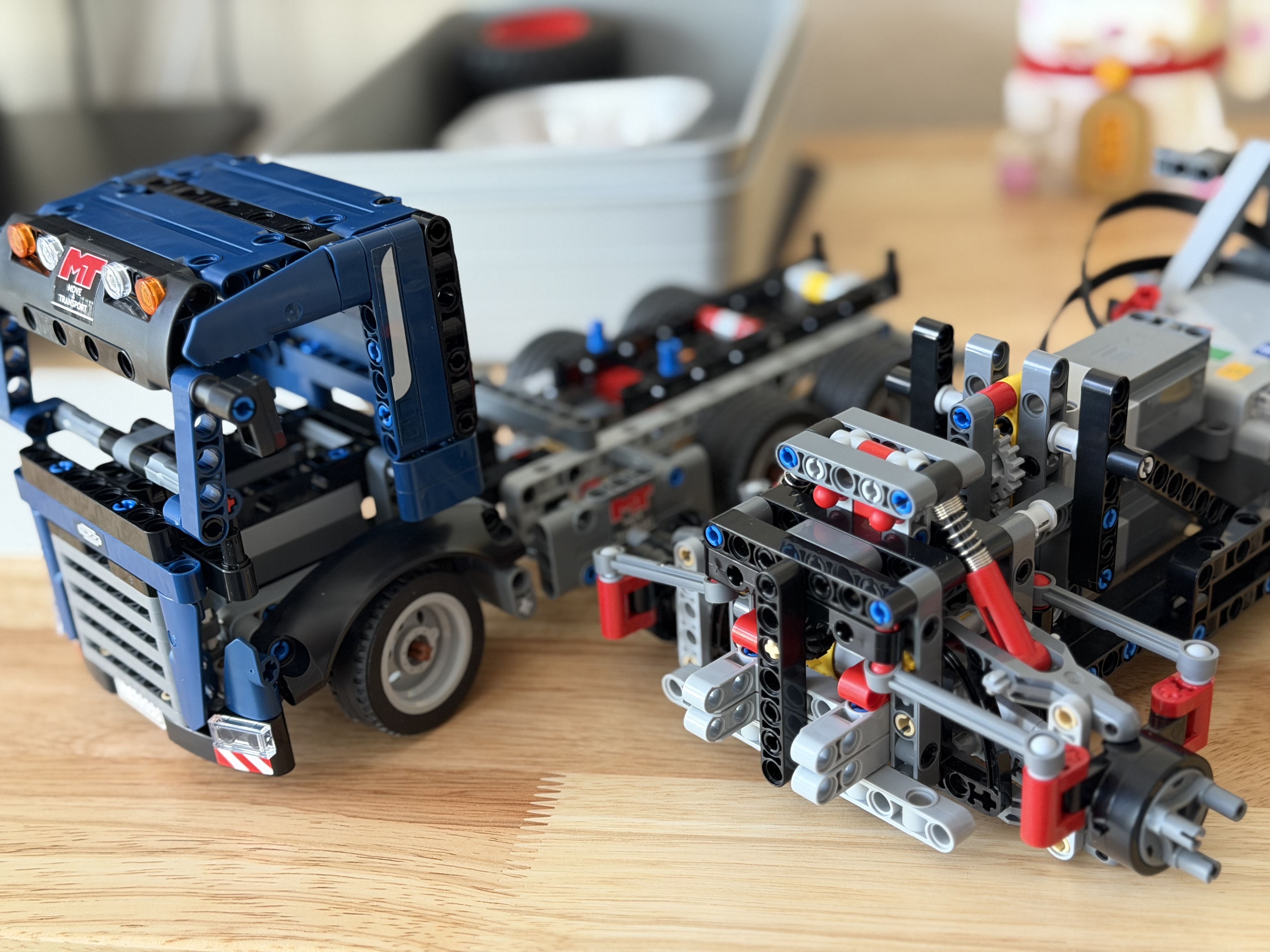
Here are the guts of the Audi rally car. I placed the truck’s tires next to the monster Audi rally car’s tires. How much smaller the truck’s tires are! I’ll design a new driving and steering system for the truck, reuse the motors and hub from the LEGO Audi, and keep the truck’s form factor.
Gear Rack with a Double Bevel Gear for Steering
After some research, I developed this steering system for the truck. It uses a 1x7 Gear Rack with a 12-tooth Double Bevel Gear. The Gear Rack has axle holes and pin holes that can be attached to connectors to form joints for movement. The Double Bevel Gear’s axle connects to the motor. Here’s a closer look at how the connectors and pins work together.
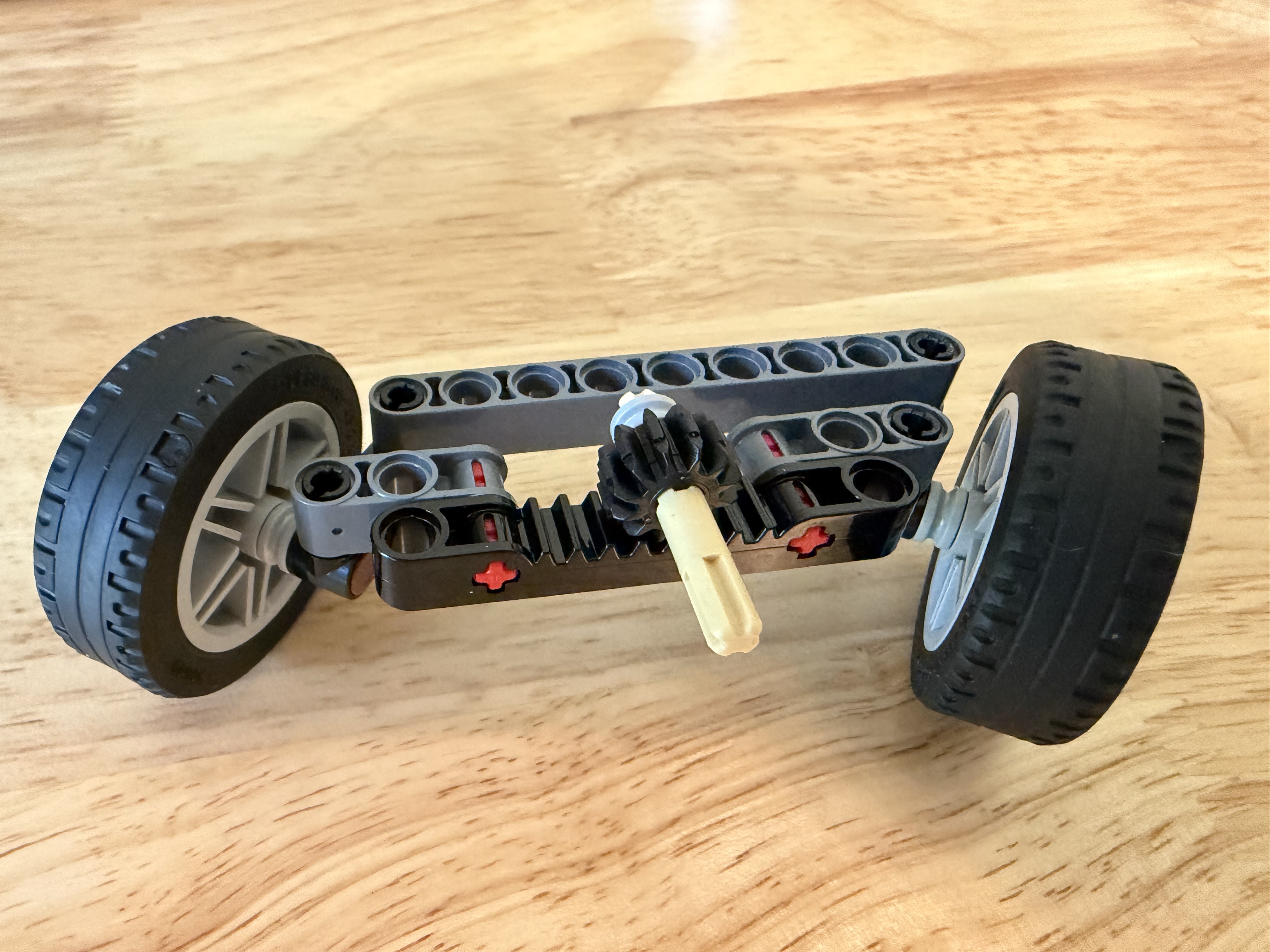
Bevel Gears are conical gears with angled, rounded teeth designed to transfer torque at 90-degree angles.
The beige-colored axles are commonly used as the motor output. They have segments shaped like “+” to lock the axle to the motor and the gearwheel, while the smooth segment allows the axle to spin in the separator with minimal friction.
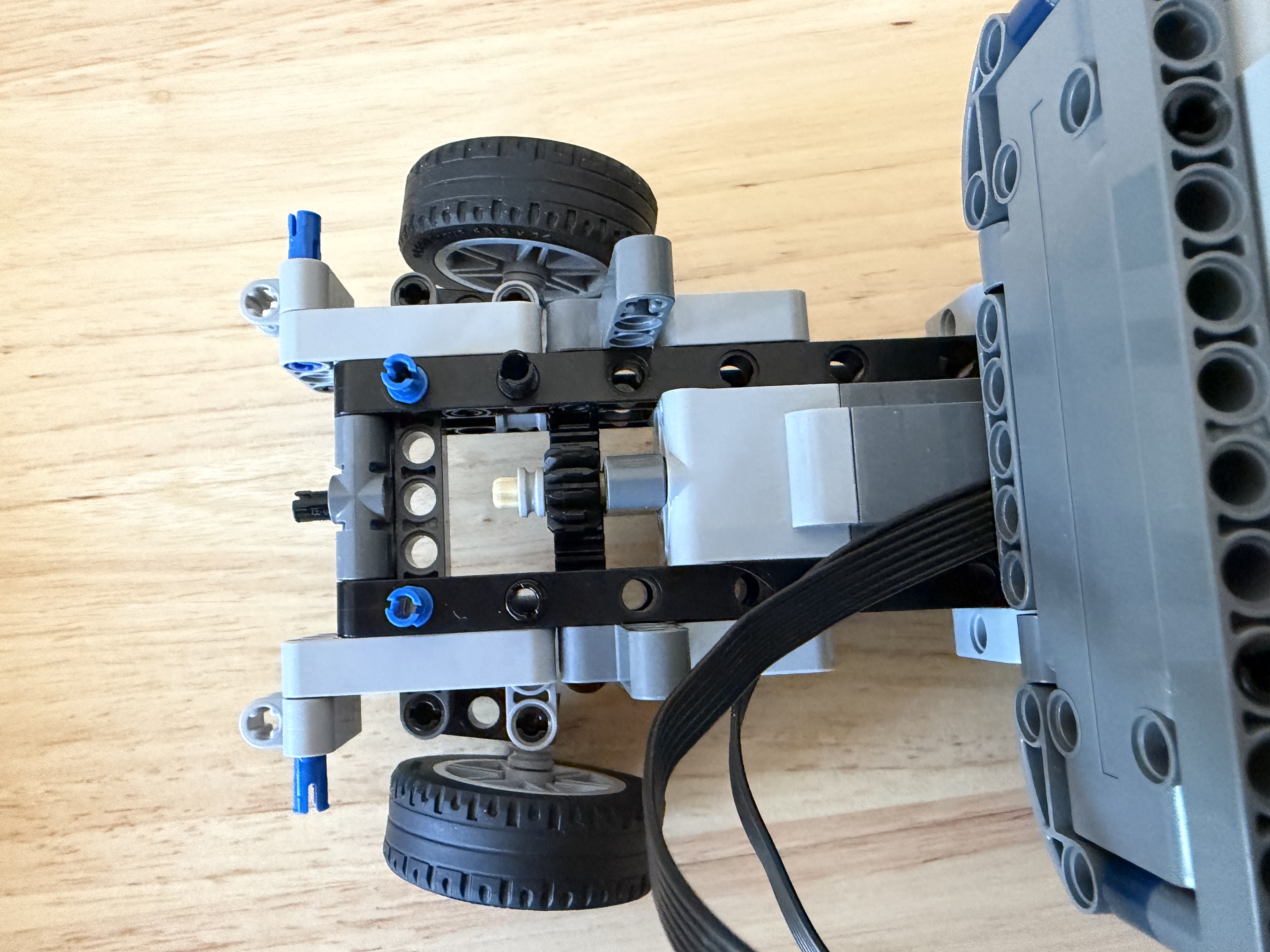
Here’s a snapshot of how it looks when it’s set up on the truck. I used the same-length front beam to keep the dimensions and shape consistent, so the upgraded truck frame can still fit under the same truck head.
Differential Gear for Propulsion
A differential is a gear mechanism that allows the left and right wheels to rotate at different speeds while still being powered by the same motor.
This is very important when a vehicle turns because the outside wheel travels a longer distance than the inside wheel. Therefore, the outside wheel must spin faster than the inside wheel. Without a differential, the wheels fight each other, and turning becomes jerky.
My LEGO Technic Differential Gear has:
- A round housing with five small 12-tooth Bevel Gears inside and a 28-tooth bright yellow Bevel Gear on the outside as the “lid”
- One input gear in the center, which is a 14-tooth bright yellow Bevel Gear that transfers motion at a 90-degree angle
- Two axle outputs for the wheels
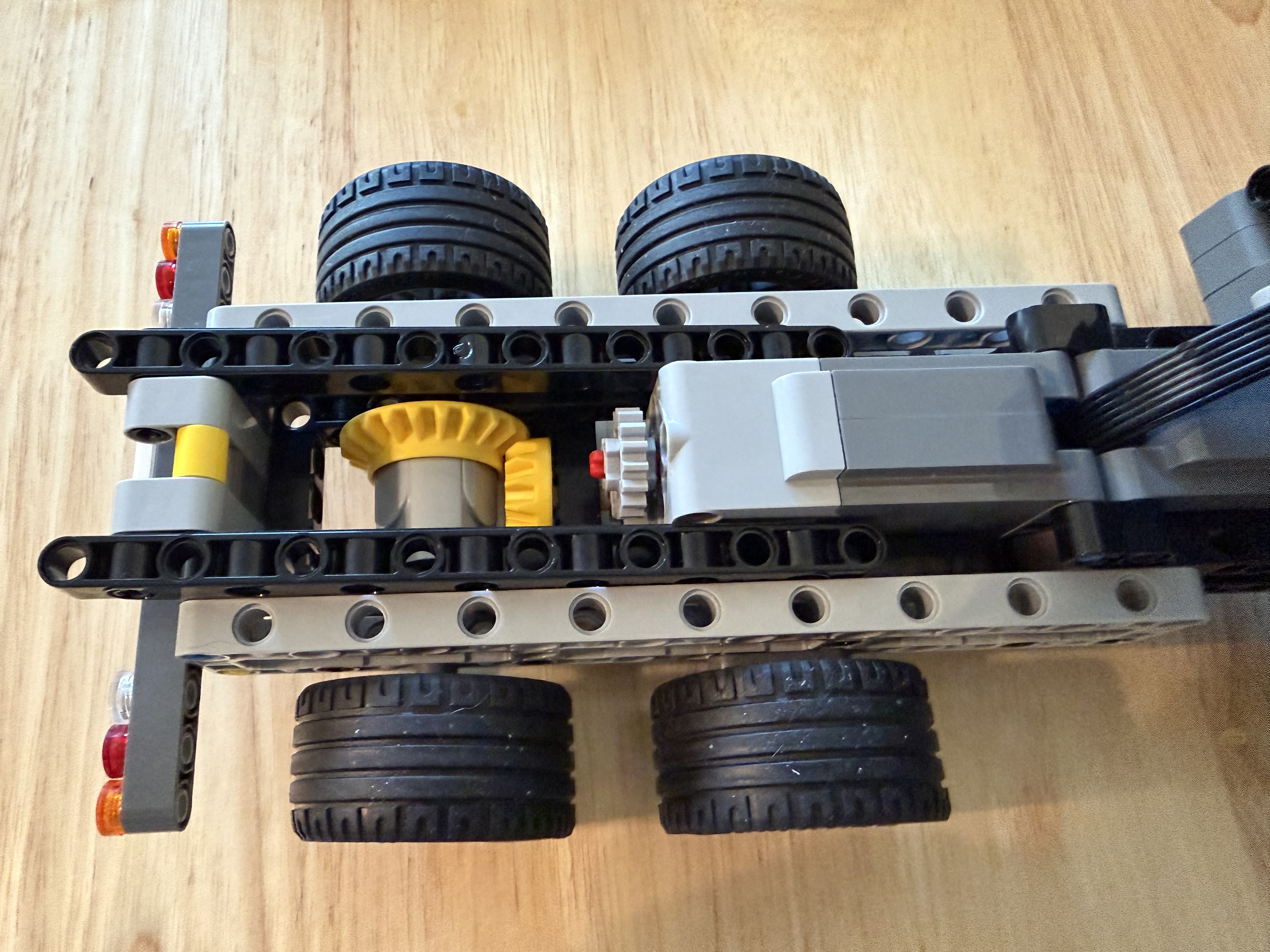
In my truck, the motor sits a bit higher than the Differential’s input. To transfer the rotation downward, I vertically aligned two Spur Gears on the motor’s output shaft. A Spur Gear is a flat gear with straight teeth.
Putting All Together
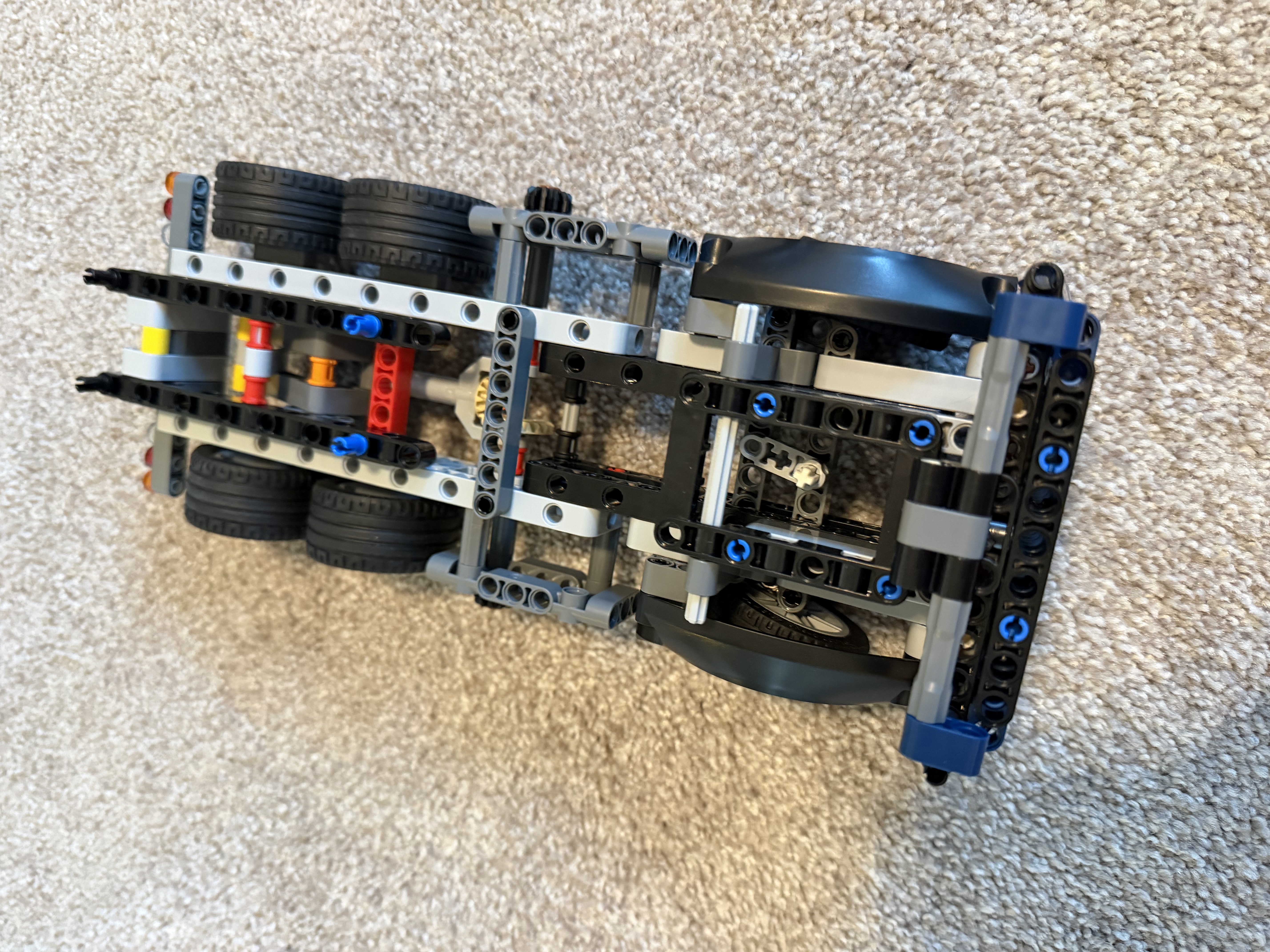
Here’s the base frame for the upgraded truck! I removed the original gear set that lifts and lowers the cargo bed and used the space for the two motors and the Differential Gear.
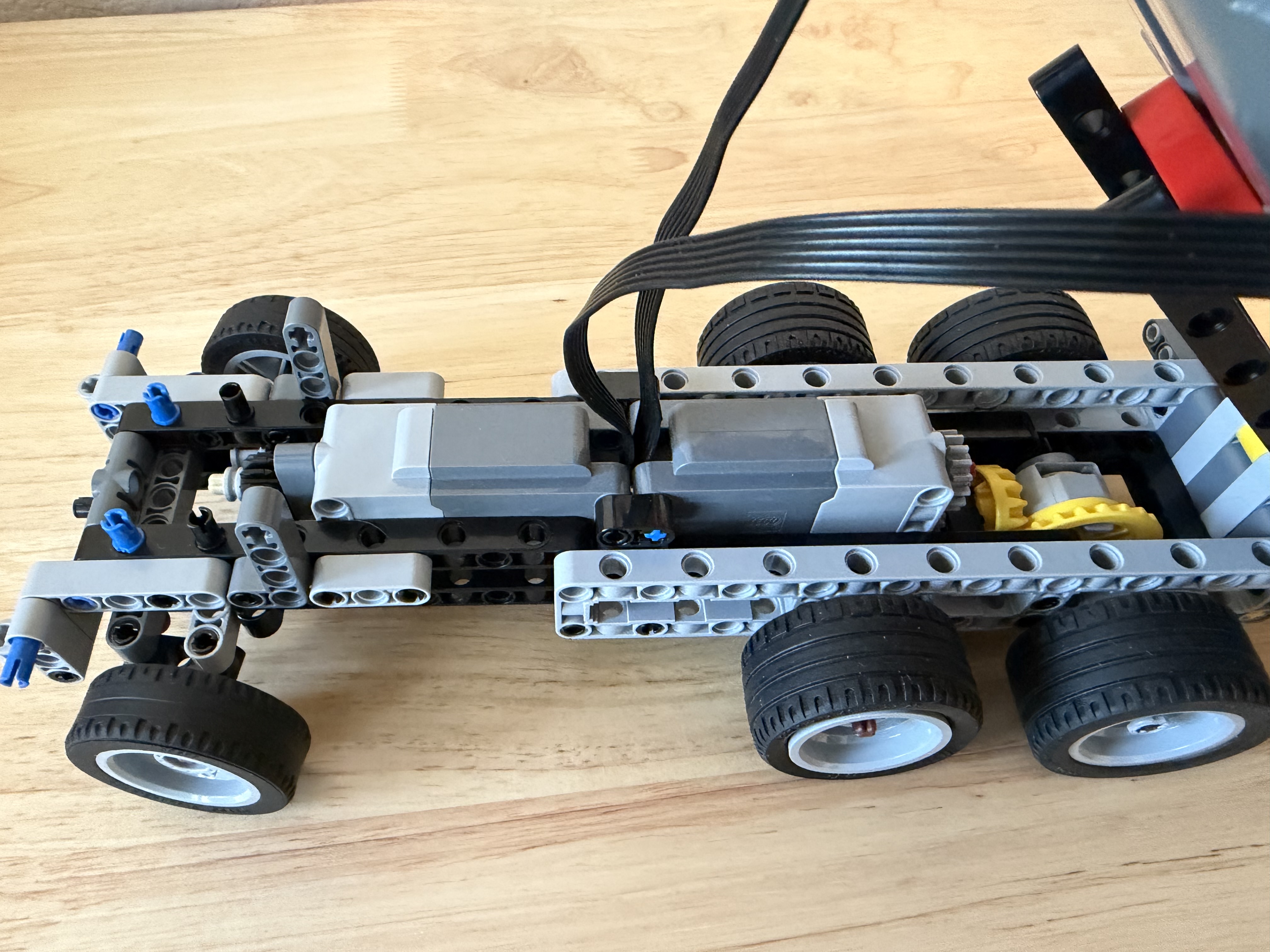
Here is the truck’s original base frame for reference:
Show Time
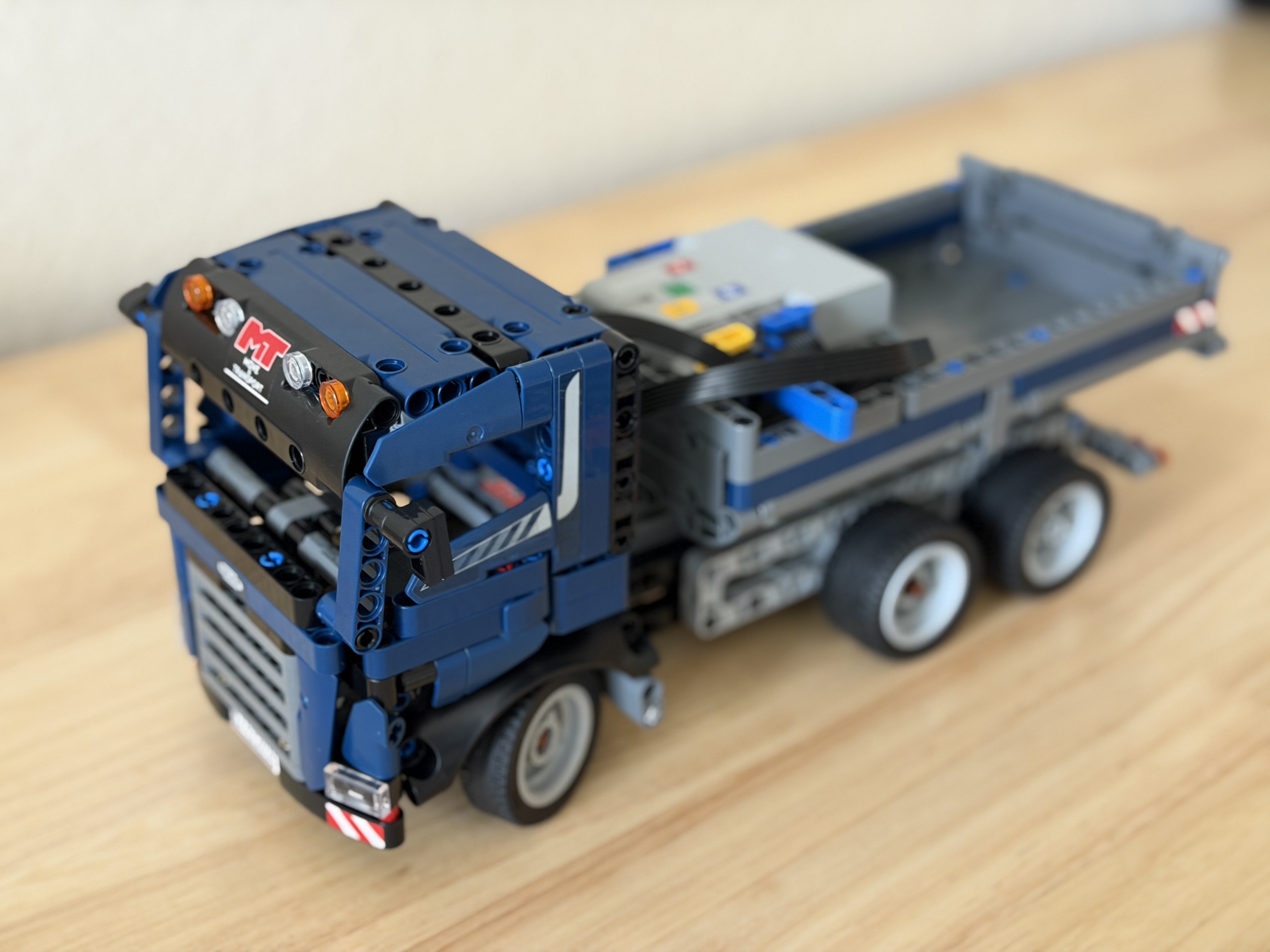
Here is how the upgraded truck looks. You won’t notice much difference at first glance, except for the power supply in the trunk. Keeping the same look is my goal. :)
Enjoy a quick demo of the construction truck driving autonomously using a ROS2 script!
For information on how to control a LEGO motorized car using a gamepad or autonomously, please check out my earlier post on ROS2 Control of the LEGO Audi e-tron.
Cheers!